#restaurant

#checkout

#kiosk

#adobexd
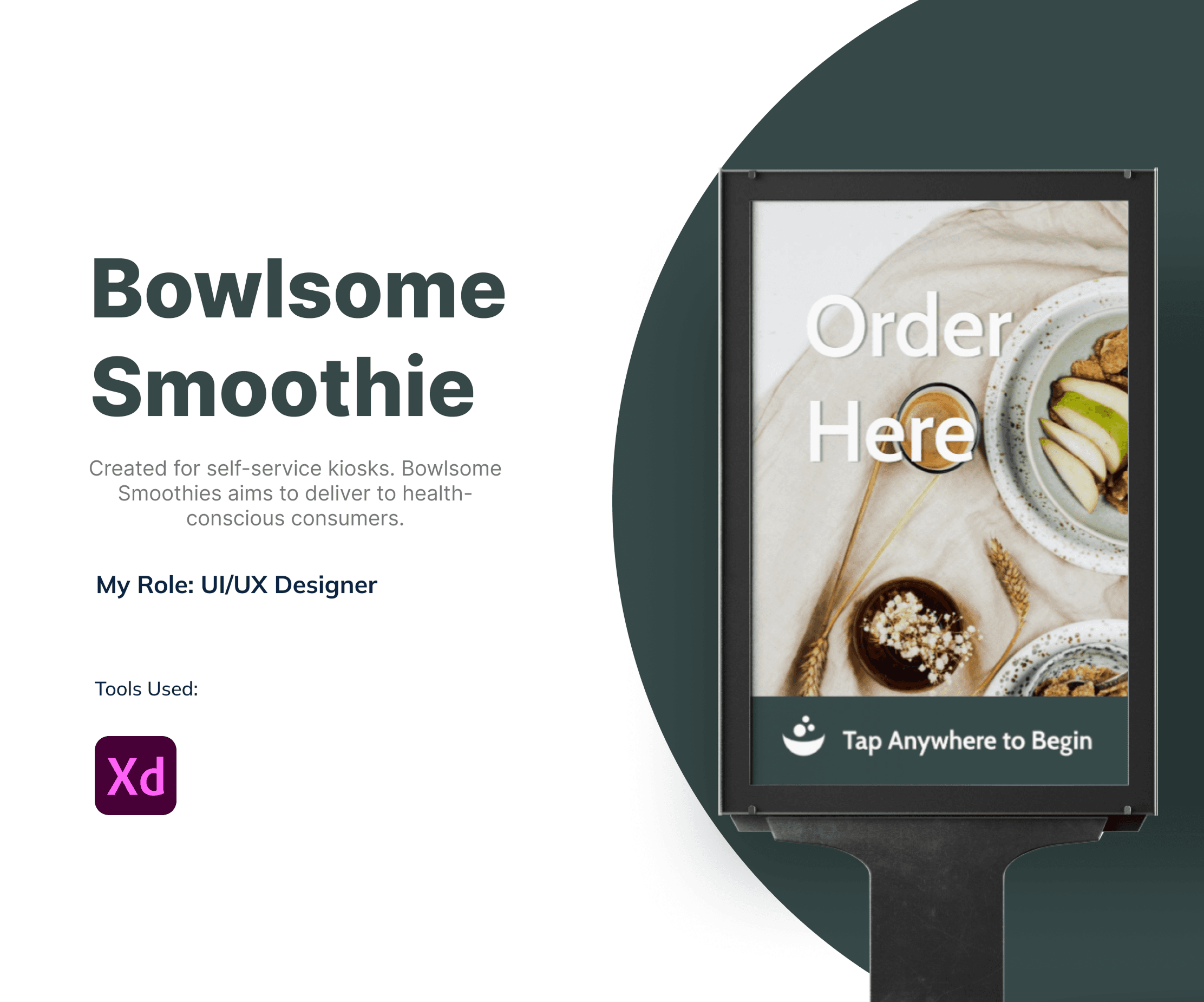
Bowlsome Smoothie

Bowlsome Smoothie

Bowlsome Smoothie

Bowlsome Smoothie

Bowlsome Smoothie

Bowlsome Smoothie

Created for self-service kiosks. Bowlsome Smoothies aims to deliver to health-conscious consumers.

Created for self-service kiosks. Bowlsome Smoothies aims to deliver to health-conscious consumers.

Created for self-service kiosks. Bowlsome Smoothies aims to deliver to health-conscious consumers.

Created for self-service kiosks. Bowlsome Smoothies aims to deliver to health-conscious consumers.

Created for self-service kiosks. Bowlsome Smoothies aims to deliver to health-conscious consumers.

Created for self-service kiosks. Bowlsome Smoothies aims to deliver to health-conscious consumers.

January - March 2024

Timeline

Product Designer

Role

January - March 2024

Timeline

Product Designer

Role

Background

Background

This project was completed as part of my coursework in the User Experience Design program at Southern New Hampshire University.

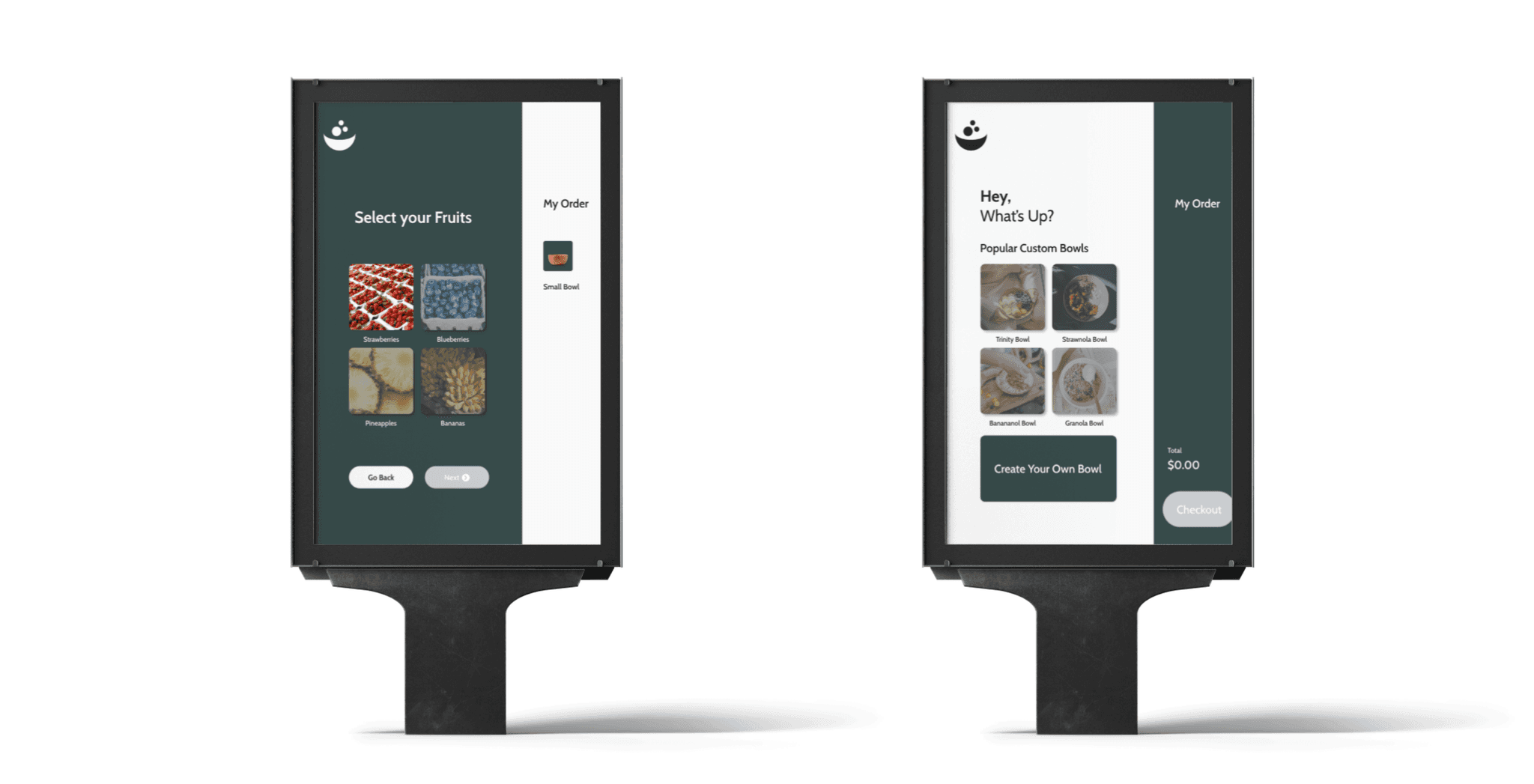
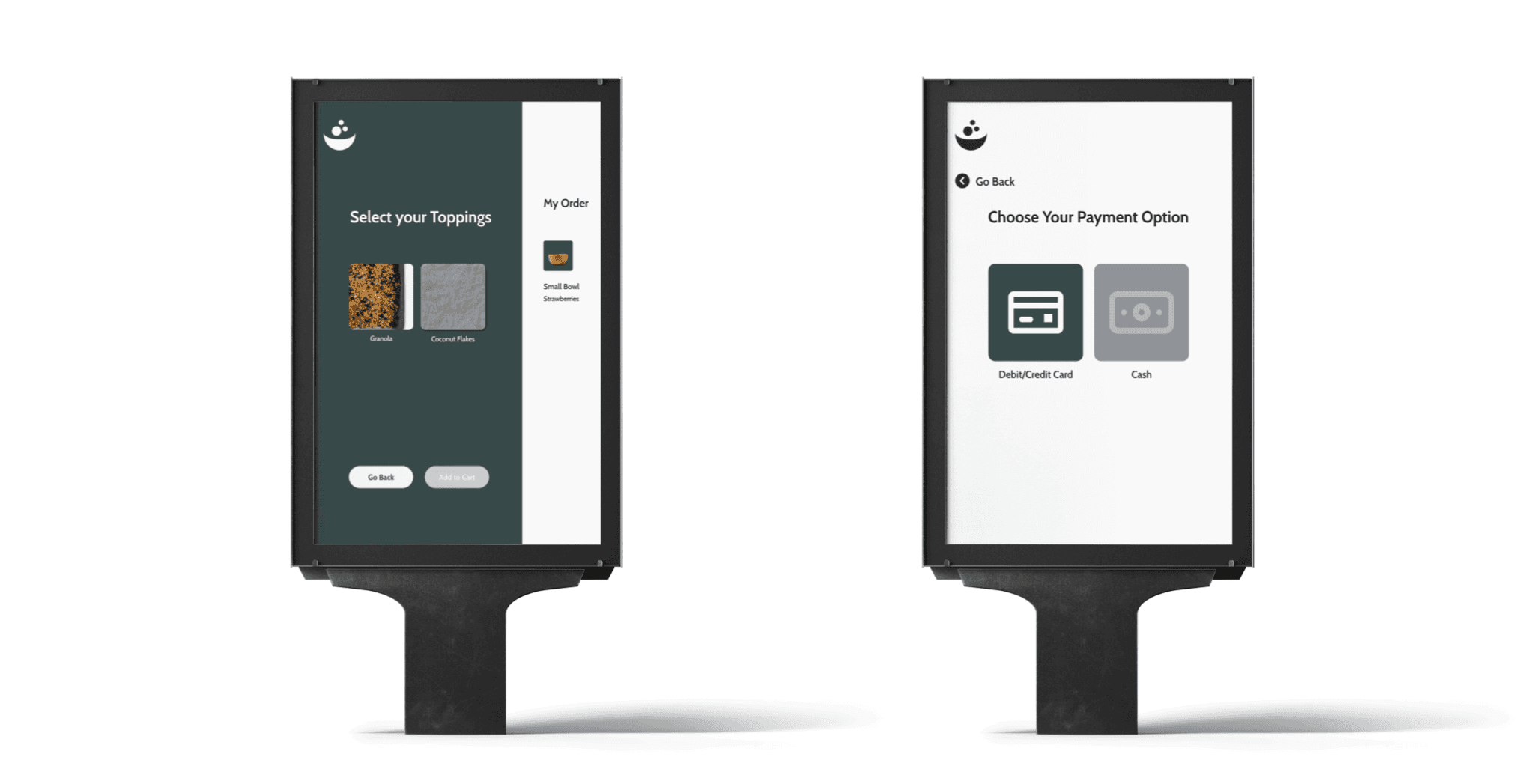
As a part of the assignment, I was tasked with designing a kiosk-ordering app for Bowlsome Smoothie, a fictional smoothie bowl company. The objective was to create an intuitive and user-friendly system allowing customers to customize their orders easily through a kiosk.

The final deliverable was an interactive prototype, which I presented to my peers and faculty, demonstrating how the app would function in real-world usage. This project helped me refine my skills in user research, wireframing, prototyping, and usability testing while applying them in a real-world scenario to create a solution that was both user-centered and practical.
Goals

Goals

1

Create a Customizable Ordering System

Design a kiosk app that allows users to select toppings, choose bowl sizes, and complete the checkout process easily and intuitively.

1

Create a Customizable Ordering System

Design a kiosk app that allows users to select toppings, choose bowl sizes, and complete the checkout process easily and intuitively.

1

Create a Customizable Ordering System

Design a kiosk app that allows users to select toppings, choose bowl sizes, and complete the checkout process easily and intuitively.

2

Optimize Task Efficiency

Streamline the order process to reduce time spent completing tasks, particularly the customization and checkout stages, ensuring a fast and smooth experience.

2

Optimize Task Efficiency

Streamline the order process to reduce time spent completing tasks, particularly the customization and checkout stages, ensuring a fast and smooth experience.

2

Optimize Task Efficiency

Streamline the order process to reduce time spent completing tasks, particularly the customization and checkout stages, ensuring a fast and smooth experience.

3

Deliver a Functional Prototype

Create and present an interactive prototype that demonstrates the app’s features, usability, and user flows, showcasing a fully developed and tested design.

3

Deliver a Functional Prototype

Create and present an interactive prototype that demonstrates the app’s features, usability, and user flows, showcasing a fully developed and tested design.

3

Deliver a Functional Prototype

Create and present an interactive prototype that demonstrates the app’s features, usability, and user flows, showcasing a fully developed and tested design.

Solutions

Solutions

1

Customizable Ordering Experience

The kiosk app allows customers to easily customize their smoothie bowls by selecting toppings, bowl sizes, and completing the checkout process. This flexibility enhances the overall user experience, making it more personalized and efficient.

1

Customizable Ordering Experience

The kiosk app allows customers to easily customize their smoothie bowls by selecting toppings, bowl sizes, and completing the checkout process. This flexibility enhances the overall user experience, making it more personalized and efficient.

1

Customizable Ordering Experience

The kiosk app allows customers to easily customize their smoothie bowls by selecting toppings, bowl sizes, and completing the checkout process. This flexibility enhances the overall user experience, making it more personalized and efficient.

2

Simplified User Flow

By organizing the app into clear, intuitive steps, users can easily navigate through the process of selecting toppings, choosing their bowl size, and finalizing their order, ensuring a smooth and hassle-free experience.

2

Simplified User Flow

By organizing the app into clear, intuitive steps, users can easily navigate through the process of selecting toppings, choosing their bowl size, and finalizing their order, ensuring a smooth and hassle-free experience.

2

Simplified User Flow

By organizing the app into clear, intuitive steps, users can easily navigate through the process of selecting toppings, choosing their bowl size, and finalizing their order, ensuring a smooth and hassle-free experience.

3

Improved Checkout Process

The app features an optimized checkout flow that reduces the time spent completing an order, ensuring a quick and seamless transaction that meets the needs of busy customers.

3

Improved Checkout Process

The app features an optimized checkout flow that reduces the time spent completing an order, ensuring a quick and seamless transaction that meets the needs of busy customers.

3

Improved Checkout Process

The app features an optimized checkout flow that reduces the time spent completing an order, ensuring a quick and seamless transaction that meets the needs of busy customers.

4

Interactive Prototype

The final interactive prototype demonstrated the app’s functionality and user flows, allowing faculty, peers, and stakeholders to experience the design in action and understand how it addresses real-world user needs.

4

Interactive Prototype

The final interactive prototype demonstrated the app’s functionality and user flows, allowing faculty, peers, and stakeholders to experience the design in action and understand how it addresses real-world user needs.

4

Interactive Prototype

The final interactive prototype demonstrated the app’s functionality and user flows, allowing faculty, peers, and stakeholders to experience the design in action and understand how it addresses real-world user needs.

Tools

Tools

Adobe XD

Conclusion

This project, completed as part of my coursework at Southern New Hampshire University (SNHU), allowed me to develop a kiosk ordering app for Bowlsome Smoothie that lets customers easily customize their smoothie bowls by selecting toppings, bowl sizes, and completing their checkout process. Throughout the project, I applied key User Experience Design principles, including user research, wireframing, prototyping, and usability testing, to create a streamlined and intuitive ordering experience.

By conducting usability tests and incorporating user feedback, I was able to refine the app’s interface and functionality, improving task completion time and overall user satisfaction. The final interactive prototype showcased the app’s ability to provide a smooth and efficient ordering process for customers, ensuring they could quickly choose their desired toppings and bowl size and proceed to checkout without frustration.

This project strengthened my UX design skills and reinforced the importance of iterative design and user feedback in creating effective, user-centered solutions. It was a valuable learning experience that helped me gain practical insights into developing real-world applications that prioritize usability and customer satisfaction.
Create a free website with Framer, the website builder loved by startups, designers and agencies.